
AI Video Tools for Indie Filmmakers: What They Actually Do (and What They Don't)
If you spend any time in filmmaker communities right now, you've seen the conversations. Someone posts a 10-second clip that looks like it was shot on a RED. Someone else insists AI is going to make traditional filmmaking obsolete. A third person says they tried one of these tools and spent four hours getting footage that looked like a video game cutscene from 2009.
If you spend any time in filmmaker communities right now, you've seen the conversations. Someone posts a 10-second clip that looks like it was shot on a RED. Someone else insists AI is going to make traditional filmmaking obsolete. A third person says they tried one of these tools and spent four hours getting footage that looked like a video game cutscene from 2009.
All three of those things can be true at the same time. That's where we are.
The honest answer to "should I care about AI video tools?" is yes — but not for the reasons most of the hype would suggest. These tools are genuinely useful for indie short filmmakers in specific, practical ways. They also have real limitations that most reviews conveniently gloss over. This guide cuts through both: here's what AI video tools are, where they actually fit in your workflow, which ones are worth your attention right now, and what you should not walk in expecting.
First, Let's Be Clear About What AI Video Tools Are
"AI video tool" is a phrase that gets applied to everything from 10-second text-to-video generators to full production suites. Before you decide what's useful to you, it helps to understand the two main types.
Text-to-Video vs. Image-to-Video — The Core Distinction
Text-to-video is what most people picture when they hear "AI video." You type a description — "a woman walks through a rainy alleyway at night, low angle, neon reflections, slow motion" — and the AI generates a clip. The quality has improved dramatically. The control is still limited.
Image-to-video is different, and for many filmmakers it's actually more immediately useful. You supply a still image — concept art, a production still, a frame you've generated with Midjourney — and the AI animates it. Because you're starting from a visual reference, you have far more control over the look and feel of the output. Character identity, lighting, and composition are already locked in by your reference image. This is currently the most reliable way to use AI video generation for narrative work.
Both types exist on a spectrum of quality and control, and the tools that dominate right now offer both modes.
What "Cinematic Control" Actually Means in These Tools
Most AI video platforms now advertise "cinematic controls." In practice, this usually means camera movement parameters — pan, tilt, zoom, focal length — that you can adjust before generating a clip. Runway's Director Mode is the most developed version of this: you get virtual sliders for camera behavior, which allows you to match an AI-generated shot with live-action footage far more reliably than a simple text prompt would allow.
This matters for short film work. A generated clip you can't control cinematically is essentially a stock footage clip you can't search. Cinematic control is what turns these tools from novelties into production assets.
Where AI Fits in the Short Film Production Workflow
The most useful way to think about these tools isn't "which AI is best" — it's "where in my process does AI actually help?" The answer changes depending on what you're making and where you're stuck.
Pre-Production — Storyboarding, Concept Visualization, Animatics
This is currently the strongest use case for AI tools in indie filmmaking, and the least discussed.
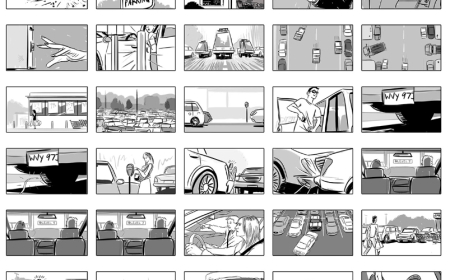
Generating reference images for lighting setups, shot compositions, or location moods takes minutes with tools like Midjourney or Adobe Firefly. You can show your DP a visual reference for the exact quality of light you want in a scene without a pre-shoot scout. You can build a rough animatic from generated stills to test your edit before you've shot a frame.
Tools like Shai Creative and Filmustage go further, offering script breakdown and AI storyboarding that follows your narrative structure — not just pretty pictures, but sequenced shots that map to your actual beats. For filmmakers preparing pitch decks or investor presentations, this kind of animated preview used to require a pre-vis team. Now it's accessible to a solo director with a weekend.
Production — AI-Generated Footage as B-Roll or Stylized Sequences
Here's where you need to be precise about expectations. AI-generated footage is not a replacement for a shoot. But it can meaningfully extend what a small team can produce, in specific contexts:
Abstract or non-literal sequences. Dream sequences, memory fragments, hallucinations, stylized interludes — any moment in your short film where visual consistency with a specific actor's face isn't required is a strong candidate for AI-generated footage. The technology handles surreal, impressionistic, or atmospheric imagery especially well.
B-roll and establishing shots. Aerial establishing shots, wide environment footage, weather sequences — generating these with AI rather than hiring a drone operator or purchasing stock footage is increasingly viable, provided you're not trying to match a specific location from your shoot.
Conceptual sequences. If your short film opens with a sequence that represents an idea rather than a scene — a montage of urban isolation, a visual metaphor — AI video generation can produce this kind of material with much less friction than a traditional shoot.
What it doesn't do well: scenes with a named character, close-ups, fast action, or any sequence where continuity with your live-action footage is critical. We'll get into why in a moment.
Post-Production — Upscaling, VFX Assists, Sound Design
AI post-production tools are arguably the most mature and least hyped category — which means they're the most immediately useful for working filmmakers right now.
Upscaling: Tools like Topaz Video AI can take footage shot on a modest camera and significantly improve resolution and grain structure. For indie shorts where budget meant shooting on less-than-ideal equipment, this is a practical win.
VFX integration: AI-powered rotoscoping and masking (now built into tools like Runway) dramatically reduces the manual labor of isolating subjects for compositing. What used to take hours of frame-by-frame work in After Effects can now be done in minutes.
Sound design: ElevenLabs for voice generation, AI music tools like Suno for scoring, and Google Veo's native audio generation (ambient sound, sound effects, even dialogue sync) are all genuinely useful at the post stage — especially for filmmakers working without a dedicated sound department.
The Tools Worth Knowing Right Now
These are the platforms actively used by indie filmmakers in 2025–2026. Not a spec sheet — a filmmaker's guide to what each one is actually for.
Runway Gen-4 / Gen-4.5 The professional benchmark for AI video right now. Director Mode gives you granular camera control — focal length, pan, tilt, zoom — that you won't find at this level elsewhere. Strong character consistency across cuts makes it the most viable option for footage that needs to sit alongside live-action material. The interface looks more like a non-linear editor than a chatbox, which has a learning curve but rewards filmmakers who invest in it. Subscription-based; the Pro tier is what serious users need. Runway also now integrates with Adobe Creative Cloud following a December 2025 partnership, which matters if you're already working in Premiere or After Effects.
Google Veo 3 / Veo 3.1 Currently the strongest all-rounder for cinematic narrative scenes. The key differentiator: native audio generation. Veo 3 can produce dialogue, ambient sound, and synchronized music alongside the visual — something most other tools still leave to post. For establishing shots and atmospheric sequences where you want a complete audio-visual asset from the generator, Veo 3.1 is leading the field. Access is via Google's Gemini Ultra plan or Vertex AI for developers.
Kling 3.0 Strong on complex motion — particularly hair, fabric, and liquid dynamics, which have historically been where AI video falls apart. A multi-shot storyboard mode with audio sync across cuts is a genuinely useful feature for filmmakers thinking in sequences rather than single clips. Lower cost than Runway or Veo makes it a sensible starting point for experimentation before committing to a more expensive subscription.
Luma Dream Machine / Ray3 Fast rendering and excellent image-to-video capability. Luma's "Infinite Camera Pathing" provides precise 3D camera control from a still reference image — if you've generated concept art or have production stills you want to animate, Luma handles this workflow reliably. It's the tool most often recommended for cinematically realistic B-roll from image references.
Pika 2.0 The most accessible and creatively playful tool in this group. Scene Ingredients let you define characters, objects, and settings with a degree of control that's unusual in the space. Pikaframes handles first-to-last frame transitions, which is useful for music video-style sequences or visual essays. The pricing sits comfortably for individual creators. Best for experimentation, stylized non-narrative sequences, and short social content.
LTX Studio The most narrative-focused tool on this list — and the most interesting one to watch. It offers an end-to-end workflow from script to storyboard to video generation within a single platform. Visual quality isn't yet at the ceiling of Runway or Veo, but the integration of narrative structure into the generation process is unique. Free tier available, which makes it a low-risk first experiment for filmmakers wanting to explore AI short film production as a workflow.
A note on Sora: OpenAI's Sora was genuinely landmark — it raised the bar for physics simulation and long-form clip coherence when it launched and its influence shaped how every tool above was built. As of April 2026, the consumer product has been discontinued. The API remains available to developers until September 2026. Worth knowing as context; not currently a tool you can build a production workflow around.
📧 We track how AI tools are changing the short film world every month. Subscribe to the Indie-Clips newsletter to stay ahead of it. →
What AI Video Tools Cannot Do (Yet)
This is the section most reviews skip. It's also the most useful thing you can read before spending money on a subscription.
Character Consistency Across Long Sequences
Generating a single good-looking clip of a character is achievable with current tools. Generating ten clips of the same character — same face, same costume, same movement quality — that cut together convincingly across a 10-minute short film is still genuinely hard.
Close-up shots and fast action sequences tend to produce the most visible artifacts. The best tools for consistency right now are Runway Gen-4 and Kling, both of which have made this a specific focus of their development — but it's still not reliable enough for a protagonist-driven narrative to be built entirely from generated footage. Image-to-video with a strong reference image is the most effective current workaround.
Narrative Logic and Emotional Continuity
AI generates visually plausible footage. It does not generate emotionally logical footage.
It doesn't know that your character is supposed to be grieving in this scene, or that the tension in this sequence should be building, or that cutting away here rather than holding the shot changes the meaning of what the audience just watched. These decisions come from the director. The AI gives you material; you make film.
This is not a criticism of the technology — it's a description of what it is. Generative AI in its current form is a very fast, very capable visual production assistant. It is not a creative collaborator that understands your story.
Replacing a Director's Eye
Composition, focal length choice, the decision to push in or pull back, holding a beat a second longer than feels comfortable — these are directorial choices. No current AI tool makes them. What AI does is reduce the cost and time of executing a shot once you've made those choices. The creative decision-making still belongs to you.
This is, ultimately, why the "AI will replace filmmakers" conversation misunderstands the technology. These tools are powerful precisely because they execute human creative direction at scale and speed. They need a director to have value.
The Honest Conversation About AI and Indie Filmmaking
The short film festival world is paying attention. At the Short Shorts Film Festival & Asia (SSFF & ASIA) — one of Asia's largest short film festivals and Academy Award-qualifying — the share of AI-assisted submissions went from roughly 2% in 2024 to around 6% in 2025. That's a significant shift in a short period, and festival programmers are actively developing disclosure norms and eligibility frameworks in response.
What the Short Film Festival World Is Saying
Most major festivals haven't yet banned AI-assisted films outright, but transparency expectations are forming. If your short film uses AI-generated sequences, the emerging consensus is that disclosure — to festivals, to audiences — is the right practice. This isn't just an ethical position; it's becoming a practical one as detection tools improve and festival policies solidify.
The labor dimension matters too. The 2023 SAG-AFTRA strike raised fundamental questions about AI's use in synthetic performances and digital replicas. Using AI to generate footage of a real person's likeness without consent is a clear line — one that responsible filmmakers won't approach, regardless of what the technology makes technically possible.
The Practical Middle Ground
The filmmakers using AI most effectively right now aren't building entire films from prompts. They're using it the way earlier generations of indie filmmakers used digital cameras, or consumer-grade editing software — as a tool that lowers the barrier to executing a creative vision that was always theirs.
The editorial position at Indie-Clips: AI amplifies human storytelling. It doesn't replace it. The films that matter are the ones with something to say — and no text prompt generates that.
How to Start Without Getting Lost
The fastest way to waste time with AI video tools is to try six of them simultaneously while watching tutorial videos and reading spec sheets. Don't do that.
Pick one tool. Pick one scene from a project you're already working on — ideally something atmospheric, non-literal, or B-roll-oriented where character consistency isn't critical. Run one experiment. See what comes out. Then decide if it's worth going further.
Suggested starting points by goal:
- You want cinematic control over camera and style → Start with Runway Gen-4. Use the free tier to test. The learning curve is real but the output quality justifies it.
- You want to animate concept art or production stills → Start with Luma Dream Machine. Upload your reference image, set a camera path, see what it does.
- You want to experiment cheaply → Start with Kling or Pika 2.0. Both have accessible entry-level tiers and generate usable footage without a significant upfront commitment.
- You want an end-to-end narrative workflow → Try LTX Studio. Free tier, script-to-video pipeline, specifically built for short film production.
One prompt-writing tip that applies to every tool: be specific. "A man walks down a street" will give you a generic result. "A man in his 40s, long dark coat, walks slowly down a rain-slicked cobblestone street at night, low angle, Dutch tilt, neon signs reflected in puddles, slow motion" gives the AI something to work with. The more directorial your prompt, the more directorial the output.
Final Thoughts — The Story Still Starts With You
AI video tools are real, they're improving fast, and understanding them is now part of being a working indie filmmaker in 2025 and beyond. That doesn't mean rushing to rebuild your entire production process around them. It means knowing what they can do, knowing what they can't, and making clear-eyed choices about where they're genuinely useful to you.
The films that find audiences — at festivals, on platforms, in the communities where short cinema matters — are the films that have something to say. AI can help you say it faster, with better-looking visuals, on a smaller budget. But the vision, the story, the reason the film exists: that still comes from you.
Indie-Clips is built for exactly this kind of filmmaker — whether your film was shot guerrilla-style on a mirrorless camera or includes AI-generated sequences woven into live-action footage. Create a free account, submit your work, and find the audience it deserves. Join the community here →
Already thinking about what comes after production? Read our guide on short film distribution strategy — how to navigate the festival circuit, streaming rights, and getting your film in front of the right audience.
Frequently Asked Questions
What's Your Reaction?
 Like
0
Like
0
 Dislike
0
Dislike
0
 Love
0
Love
0
 Funny
0
Funny
0
 Wow
0
Wow
0
 Sad
0
Sad
0
 Angry
0
Angry
0

Co-founder of Indie-Clips.com













Reviews & Comments (0)